ADA Testing for Websites: What It Is and How to Do It Right
Updated on January 4, 2026
ADA Testing Starts With One Question: Can Everyone Use Your Website?

Most websites look accessible until someone tries to use them without a mouse.
That's often when accessibility breaks-and when ADA complaints, demand letters, or lawsuits begin. In many cases, the trigger is something basic: broken keyboard navigation, inaccessible forms, or focus issues that block users from completing simple actions.
The problem is that many ADA testing approaches rely too heavily on automated scans. These tools often miss real usability issues like broken keyboard navigation, incorrect focus order, inaccessible forms, and interactive components that fail for assistive technology users.
When testing is done correctly, it shows how people with disabilities actually experience your website. It reveals where accessibility breaks down in real interactions, not just in code.
This guide explains what ADA testing really means, how it relates to WCAG, and how to test your website properly using automated tools, manual review, and real user interaction testing.
Free Web Accessibility Checker
Enter your website URL to get a free, instant accessibility scan with tabnav's checker.

What Is ADA Testing?
ADA testing checks whether a website or digital product can be used by people with disabilities, as required under the Americans with Disabilities Act.
Although the ADA does not define specific technical rules for websites, U.S. courts consistently rely on the Web Content Accessibility Guidelines (WCAG) to evaluate whether a site meets accessibility expectations in real-world cases.
In practice, testing means checking whether users can:
- Navigate the site using only a keyboard
- Use screen readers and assistive technology
- Understand content structure and page flow
- Complete forms without barriers
- Interact with dynamic elements like menus, modals, and carousels
The goal of ADA testing is not just legal compliance. It is ensuring equal access to information, services, and functionality for all users.
ADA vs WCAG: How Accessibility Is Actually Measured
ADA is a civil rights law. WCAG is the technical standard used to measure compliance.
When ADA-related website lawsuits are reviewed, courts typically rely on WCAG 2.1 or WCAG 2.2 at Level AA to determine whether accessibility obligations are met.
WCAG is built on four principles, often referred to as POUR:
- Perceivable: Content must be visible and understandable to all senses
- Operable: All functionality must work with a keyboard and assistive tools
- Understandable: Content and interactions must behave predictably
- Robust: Content must work across browsers, devices, and assistive technologies
Effective ADA testing evaluates a website against these principles using real interaction, not just static rules.
What ADA Testing Checks in Practice
A proper testing process focuses on how users actually move through a website.
Key areas include:
Keyboard Accessibility
All functionality must be usable with a keyboard alone. This includes navigation menus, buttons, forms, dialogs, and interactive widgets.
Focus Order and Visibility
Focus should move logically through the page. Users must always be able to see where they are when navigating with the keyboard.
Screen Reader Behavior
Headings, landmarks, links, and form fields must be announced correctly and in the right order.
Forms and Error Handling
Users should be able to complete forms, understand validation errors, and recover from mistakes without getting stuck.
When focus order, keyboard navigation, or error messages break, forms quickly become unusable.
Read more in our forms accessibility guide, where we walk through real-world examples and step-by-step best practices to test and fix these issues.
Dynamic and Interactive Content
Modals, popups, dropdowns, carousels, and single-page app updates must manage focus and remain accessible.
These are the areas where many websites fail ADA testing despite passing automated scans.
Automated ADA Testing: What It Catches (and What It Misses)
Automated accessibility tools are useful, but limited.
They can reliably detect issues like:
- Missing alternative text
- Color contrast failures
- Improper heading structure
- Some ARIA misuse
However, automated tools often miss:
- Broken tab order
- Keyboard traps
- Focus loss in modals
- Inaccessible custom components
- Confusing screen reader experiences
Relying only on automated ADA testing can give a false sense of compliance.
Manual ADA Testing: Why Keyboard and Focus Still Break
Manual testing is essential for identifying real usability barriers.
This includes:
- Navigating every page using only the keyboard
- Testing forward and backward tab order
- Opening and closing modals
- Submitting forms with errors
- Checking focus behavior after dynamic updates
Manual ADA testing reveals issues that scanners cannot detect, especially in modern JavaScript-heavy websites.
Who Is Responsible for ADA Testing?
ADA testing is not the responsibility of a single role.
It involves collaboration between:
- Designers, who control layout, contrast, and focus flow
- Developers, who implement keyboard logic and ARIA
- QA teams, who validate accessibility before release
- Content teams, who structure headings, links, and copy
- Product managers, who prioritize accessibility requirements
Successful ADA testing is built into workflows, not added at the end.
Why ADA Testing Must Be Ongoing
Accessibility is not something you fix once and forget. Websites evolve constantly through content updates, design changes, marketing experiments, and new features. Each of those changes can unintentionally introduce new accessibility barriers.
A common example is a simple update like adding a new form, replacing a navigation component, or launching a marketing banner. Visually, everything may look fine. But behind the scenes, focus order can break, keyboard navigation may stop working, or screen readers may lose important context.
The site becomes non-compliant again without anyone realizing it.
When that happens, users abandon forms, checkout flows fail, and real customers are quietly lost-long before anyone notices a legal problem.
Ongoing ADA testing ensures that accessibility remains intact over time. It helps teams catch regressions early, verify that new releases meet WCAG requirements, and protect users who rely on keyboard navigation and assistive technologies.
Tabnav provides an extended accessibility monitoring platform that supports this ongoing approach. It continuously checks your site and delivers accessibility reports directly to your inbox, helping teams stay audit-ready and confident that accessibility is maintained after every update.
How Tabnav Accessibility Checker Supports ADA Testing
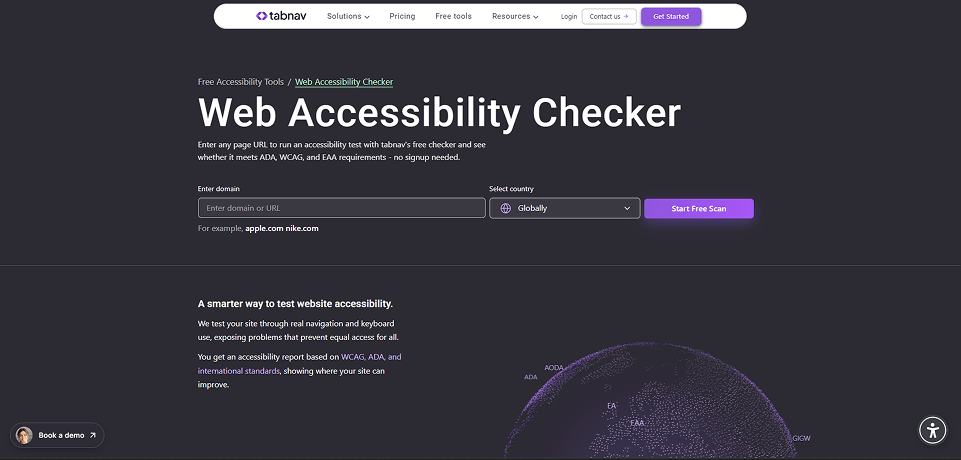
Tabnav Accessibility Checker is built to uncover the accessibility issues that lead to failed audits, blocked user flows, and ADA-related legal risk-not just surface-level code warnings.
It identifies accessibility issues that go beyond surface-level violations and directly affect keyboard users and assistive technology users.
With Tabnav Accessibility Checker, teams can:
- Detect keyboard navigation issues that prevent mouse-free interaction
- Identify broken focus order and missing or unclear focus indicators
- Uncover accessibility failures in forms, modals, and dynamic components
- See which WCAG success criteria pass or fail on each page
- Generate clear, actionable reports to support ongoing ADA testing
Unlike traditional accessibility scanners that focus only on static checks such as alt text or contrast, Tabnav also evaluates interactive behavior. By simulating user navigation, it reveals usability barriers like keyboard traps, unstable focus, and inaccessible workflows.
This combined approach helps teams prioritize fixes accurately, validate ADA compliance with confidence, and maintain accessibility as the site evolves.
Final Thoughts
ADA testing is not about checking boxes or avoiding lawsuits. It is about ensuring that everyone can use your website without barriers.
The most effective testing combines automated scans, manual review, and real user interaction testing. Together, these methods provide a complete picture of accessibility and usability.
By treating ADA testing as an ongoing process and focusing on real experiences, organizations can build more inclusive, resilient, and trustworthy digital products.
If you want your ADA testing to reflect how users actually navigate your site, start with real interaction testing and build from there.

You might also like...